
Suntem obisnuiti sa ne tinem datele (fisierele) pe acelasi computer (sistem) – DAS (direct attached storage). Pe langa avantaje (access rapid la date) aceasta abordare are principalul dezavantaj faptul ca daca dorim sa accesam informatiile de pe alt sistem nu o putem face direct. Acum mult timp, pana la inceputul anilor 2000, trebuia sa imi scriu dischete, apoi discuri zip si in sfarsit cd, dvd, stick-uri usb sau card-uri de memorie pt a muta datele de pe computerul de acasa, la serviciu era mai cool pt ca aveam retea BNC de 10Mb. Read More →
LCD dac indian


https://hifiduino.files.wordpress.com/2010/10/lcd.jpg
Buffalo settings
http://www.diyaudio.com/forums/twisted-pear/272007-cronus-its-about-time-17.html#post4329248
the default DPLL setting for BII should work fine – even for synch mode – but optimally you would set the DPLL to max and then turn off the ASRC (what they call the Jitter Eliminator) as it will be doing precisely nothing useful.
http://www.diyaudio.com/forums/twisted-pear/272007-cronus-its-about-time-20.html#post4346754
oh yes, the Cronus uses very cryptic names for this signals…
DCK – DSD data clock or I2S bitclock
D1 – DSD data1 or I2S wordclock/leftrightclock
D2 – DSD data 2 or I2S dataline
Alsa sinewave generator
AUDIODEV=hw:1 play -r 96000 -n synth 60.0 sine 1000 gain 0
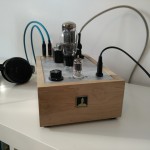
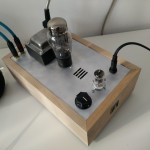
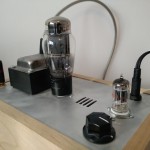
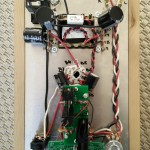
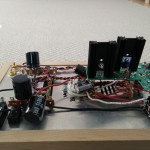
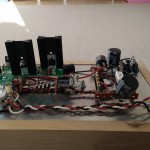
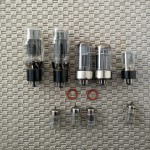
BBB – set-up
https://eewiki.net/display/linuxonarm/BeagleBone+Black
- before “Configure and Build:” TEST – change default bootdelay for u-boot. jorro (usb to i2s) is taking some time to boot so we need to give it some space – see usb initialization error from previous kernel versions.
vim include/configs/ti_armv7_common.h

#add

#define CONFIG_BOOTDELAY 10

#save and quit
- Ivan Braga – set in uEvnt.txt (root = $ {mmcroot}) to (root =/dev/mmcblk0p1)
install on sd and then copy to internal
A. general
apt-get update
apt-get dist upgrade
#install vim editor but nano is a better choice for linux rookies
apt-get install vim ctags vim-scripts
#edit vimrc
#edit bashrc
# optional apt-get install bash-completion command-not-found
#set hostname
echo bbb > /etc/hostname
#disable apache2 service
systemctl disable apache2
#set time zone
dpkg-reconfigure tzdata
#not working in Jessie bare install timedatectl set-timezone Europe/Bucharest
apt-get install cpufrequtils
#set cpu governor to performance
vim /etc/init.d/cpufrequtils
#change to GOVERNOR="performance"
#save and exit
#optional ssh key
mkdir .ssh
vim .ssh/authorized_keys
#add public key
B. mpd – install http://www.hifiwigwam.com/showthread.php?89501-BeagleBone-Black-as-an-MPD-server
apt-get install alsa-utils libasound2-plugins
vim /etc/modprobe.d/alsa-base.configure
# Add this line at the end:
options snd-usb-audio nrpacks=1
#save and quit

apt-get install ncmpcpp libfftw3-bin libfftw3-dev
apt-get install mpd bzip2 avahi-daemon avahi-autoipd

To do: check
Suggested packages:
 adplug-utils libaudio2 libesd0 libesd-alsa0 cups-common dnet-common libportaudio2 libroar-plugins-universal roaraudio-server bzip2
 pinentry libmuroar0 slpd socat openslp-doc avahi-daemon icecast2 pulseaudio sgml-base-doc debhelper
/etc/mpd.config
music_directory                 "smb://192.168.2.222/Music"
bind_to_address         "any"
metadata_to_use "artist,album,title,track,name,genre,date,composer,performer,disc"
zeroconf_enabled                "yes"
zeroconf_name "BBB mpd"
C. i2c control for bufallo – http://datko.net/2013/11/03/bbb_i2c/
apt-get install python-smbus
vim /usr/local/bin/init_bufallo.py
add
import smbus
buffalo = 0x48
i2c = smbus.SMBus(2)

reg=14
value= i2c.write_byte(buffalo, reg)
xx = "{0:08b}".format(i2c.read_byte(buffalo))
print '\n reg14'
print str(xx)
wx = 0xF9
i2c.write_byte_data(buffalo, reg, wx)
value= i2c.write_byte(buffalo, reg)
xx = "{0:08b}".format(i2c.read_byte(buffalo))
print '\n reg14'
print str(xx)
print '\n\n========='
D. compile mpd from git – http://mpd.wikia.com/wiki/Repositories + http://mpd.wikia.com/wiki/BuildingMPD
apt-get install build-essential
apt-get install libfaad2 libfaad-dev libflac8 libflac-dev libogg0 libogg-dev libvorbis0a libvorbis-dev libid3tag0 libid3tag0-dev libmad0 libmad0-dev libcue-dev libcue1 libasound2 libasound-dev libasound2-dev libao-dev libwavpack-dev libwavpack1 libsamplerate0 libsamplerate-dev libmikmod2-dev libshout-dev libavformat-dev libavcodec-dev libavutil-dev libcurl4-openssl-dev libmms-dev libmms0 libtwolame-dev libtwolame0 libmp3lame-dev
apt-get install stow
git clone git://git.musicpd.org/master/mpd.git
#git pull
cd mpd
./autogen.sh --prefix=/usr/local/stow/mpd
./configure --enable-pipe-output
make install
stow -d /usr/local/stow mpd
E. Card
#/etc/fstab add noatime,commit=600, for root partition
#/etc/fstab add tmpfs           /tmp    tmpfs   noatime,nosuid                          0 0
#enable tmpfs
vim /etc/default/tmpfs
RAMTMP=yes
TMP_OVERFLOW_LIMIT=1024
Regulated Symmetrical Power Supply
adelectrocom
2×2,2kohmi
2x220ohmi
1xlm317
1xlm337
2x22uf/minim 16v nu trebuie audiofili
2x100uf/minim 16v
terminal blocks
punte 50V 2A
daca nu ai pe acasa cumpara si tu un numar par de 0.1uf /63 v neceramici cu poliester – wima mkp
comments:
cond aia de 0.1uf din schema nu stiu daca sa-i pui
rezistentele alea de 2k2 vin montate in locul acelor remireglabili de 4k7 din schema
tu o sa scoti undeva la 13.8v la iesire cu rezistentele recomandate
freenas winacl
winacl -r -a update -e everyone@:rwxpDdaARWcCos:fd----:allow -p /mnt/vol1
Fourier machines
Furat cu nerusinare de aici:
http://www.computeraudiophile.com/f8-general-forum/fourier-machines-22399/
CPU Speedstep/Throttling vs Sound Quality
Am vazut ca uneori incercarile de a face un computer dedicat ca sursa, pt un lant audio mai acatarii, au esuat, oamenii preferand a se intoarce catre vechile computere care sunau mai bine.
Din punct de vedere logic suna oarecum ciudat, computerele noi au mai multa putere de calcul, mai multa memorie, un sistem de operare mai bun (de cele mai multe ori pe 64 de biti pt a beneficia de mai mult de 4 GB de memorie), versiuni mai noi ale playerelor etc … Read More →
Recent Comments