
Suntem obisnuiti sa ne tinem datele (fisierele) pe acelasi computer (sistem) – DAS (direct attached storage). Pe langa avantaje (access rapid la date) aceasta abordare are principalul dezavantaj faptul ca daca dorim sa accesam informatiile de pe alt sistem nu o putem face direct. Acum mult timp, pana la inceputul anilor 2000, trebuia sa imi scriu dischete, apoi discuri zip si in sfarsit cd, dvd, stick-uri usb sau card-uri de memorie pt a muta datele de pe computerul de acasa, la serviciu era mai cool pt ca aveam retea BNC de 10Mb. Read More →
Buffalo settings
http://www.diyaudio.com/forums/twisted-pear/272007-cronus-its-about-time-17.html#post4329248
the default DPLL setting for BII should work fine – even for synch mode – but optimally you would set the DPLL to max and then turn off the ASRC (what they call the Jitter Eliminator) as it will be doing precisely nothing useful.
http://www.diyaudio.com/forums/twisted-pear/272007-cronus-its-about-time-20.html#post4346754
oh yes, the Cronus uses very cryptic names for this signals…
DCK – DSD data clock or I2S bitclock
D1 – DSD data1 or I2S wordclock/leftrightclock
D2 – DSD data 2 or I2S dataline
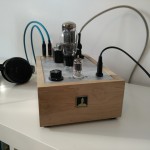
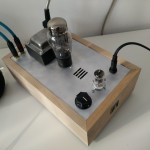
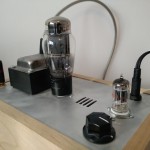
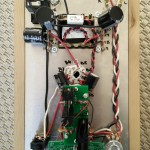
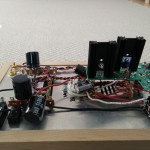
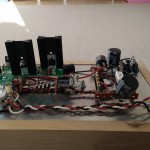
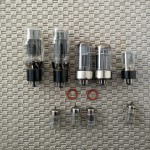
Regulated Symmetrical Power Supply
adelectrocom
2×2,2kohmi
2x220ohmi
1xlm317
1xlm337
2x22uf/minim 16v nu trebuie audiofili
2x100uf/minim 16v
terminal blocks
punte 50V 2A
daca nu ai pe acasa cumpara si tu un numar par de 0.1uf /63 v neceramici cu poliester – wima mkp
comments:
cond aia de 0.1uf din schema nu stiu daca sa-i pui
rezistentele alea de 2k2 vin montate in locul acelor remireglabili de 4k7 din schema
tu o sa scoti undeva la 13.8v la iesire cu rezistentele recomandate
CPU Speedstep/Throttling vs Sound Quality
Am vazut ca uneori incercarile de a face un computer dedicat ca sursa, pt un lant audio mai acatarii, au esuat, oamenii preferand a se intoarce catre vechile computere care sunau mai bine.
Din punct de vedere logic suna oarecum ciudat, computerele noi au mai multa putere de calcul, mai multa memorie, un sistem de operare mai bun (de cele mai multe ori pe 64 de biti pt a beneficia de mai mult de 4 GB de memorie), versiuni mai noi ale playerelor etc … Read More →
Bufallo III based streamer
1. BBB + Volumio – Debian updated to Jessie, MPD git 0.19.2
2. I2SoverUSB
3. Bufallo III – stereo config
Power source
1. DAC – Placid HD
2. line stage – Placid HD bipolar
3. BBB – linear power supply 5V
Case
volumio bbb – update
install latest volumio release
1. update to jessie
# cp /etc/apt/sources.list{,.bak}
# sed -i -e 's/ \(stable\|wheezy\)/ testing/ig' /etc/apt/sources.list
# apt-get update
# apt-get --download-only dist-upgrade
# apt-get dist-upgrade
2. update to latest kernel – am33x-v3.17 – best use a virtual machine to save time
http://www.eewiki.net/display/linuxonarm/BeagleBone+Black
3. compile mpd from git
http://mpd.wikia.com/wiki/Repositories
http://mpd.wikia.com/wiki/BuildingMPD
4. install missing libraries
apt-get install smbclient libnfs4 libicu52
5. rename old mpd and create symlink to the new one
6. change vim /lib/systemd/system/mpd.service with actual conf path
7. HWCLOCKACCESS=no
vim /etc/default/hwclock
8. monitor – disable?
9. set cpu frequency
cp /usr/share/doc/cpufrequtils/examples/cpufrequtils.sample /etc/default/cpufrequtils
governor performance
10. install i2c
apt-get install i2c-tools
apt-get install python-smbus
i2cdetect -r 2 – check device (48)
ARM – pops dsd play solution
edit
/etc/sysctl.conf
and add to the end of the file
vm.min_free_kbytes=25000
verify
sysctl -a | grep vm.min_free_kbytes
Recent Comments